

We'll cover
12 Steps to Maximize Your Resume ATS Score in 2026
Written by Palak Jain
- ATS filters resumes before recruiters ever review them.
- Clean formatting matters as much as strong content.
- Keywords must match each specific job description.
- Numbers and metrics significantly boost resume impact.
- Always test your resume with ResuScan before submitting applications.
We'll cover:
What is an ATS and Why Your Score Matters?
Your resume needs ATS optimization which requires you to use job description keywords and maintain a single-column layout with standard fonts and headings and present your achievements through numerical data and action verbs and create a separate skills section and check your resume using online tools before you submit it as a .docx or PDF file. An Applicant Tracking System, or ATS, is software that scans, parses, and ranks resumes before a human recruiter ever reviews them. Your resume ATS score shows the percentage of your resume which matches the job posting and the system's ability to interpret your document's formatting.
- ATS (Applicant Tracking System): It functions as software that allows employers to automatically screen and score incoming resumes.
- ATS Score: It describes the percentage that shows how well your resume matches the specific job requirements.
- 80%+ Score: Your chances of passing automated screening increase when you aim for an ATS score above 80 percent which establishes an 80 percent threshold.
Most large employers use ATS software to screen applications which results in automatic rejection for candidates with low scores. The system blocked your resume because it did not reach a human reviewer even though you met the job requirements.
Step 1. Use a Clean Single-Column Resume Format
The software for ATS systems processes documents by following a left-to-right and top-to-bottom reading pattern. The system fails to extract the content from complex designs that use multiple columns and artistic elements because they spread out the content throughout the document.
- Single-column layout: Design your document with a single-column layout because two-column layouts and sidebar designs should be avoided. The ATS system of content parsing fails to process polished designs because it results in content order confusion which causes your skills section to appear between work history sections while it deletes some data.
- Avoid headers, footers, and text boxes: The system requires you to eliminate headers and footers and text boxes because ATS software does not recognize content that exists within headers and footers. The system encounters difficulties with text boxes when you check resume score because it fails to recognize them or extracts their content without understanding its context.
- Use standard margins and spacing: The document requires standard margin and spacing through the application of one-inch margins which should cover all borders. The system struggles to read content when users apply excessive white space because they need to locate essential keywords through their entire document.
The ATS system requires a basic single-column layout because it enables the system to process every document word in its correct form.
Step 2. Choose ATS-Friendly Fonts and Sizes
ATS experience problems processing decorative or uncommon fonts because these fonts cause characters to show up as symbols or empty spaces. Stick to universal, readable resume fonts and sizes that every system recognizes.
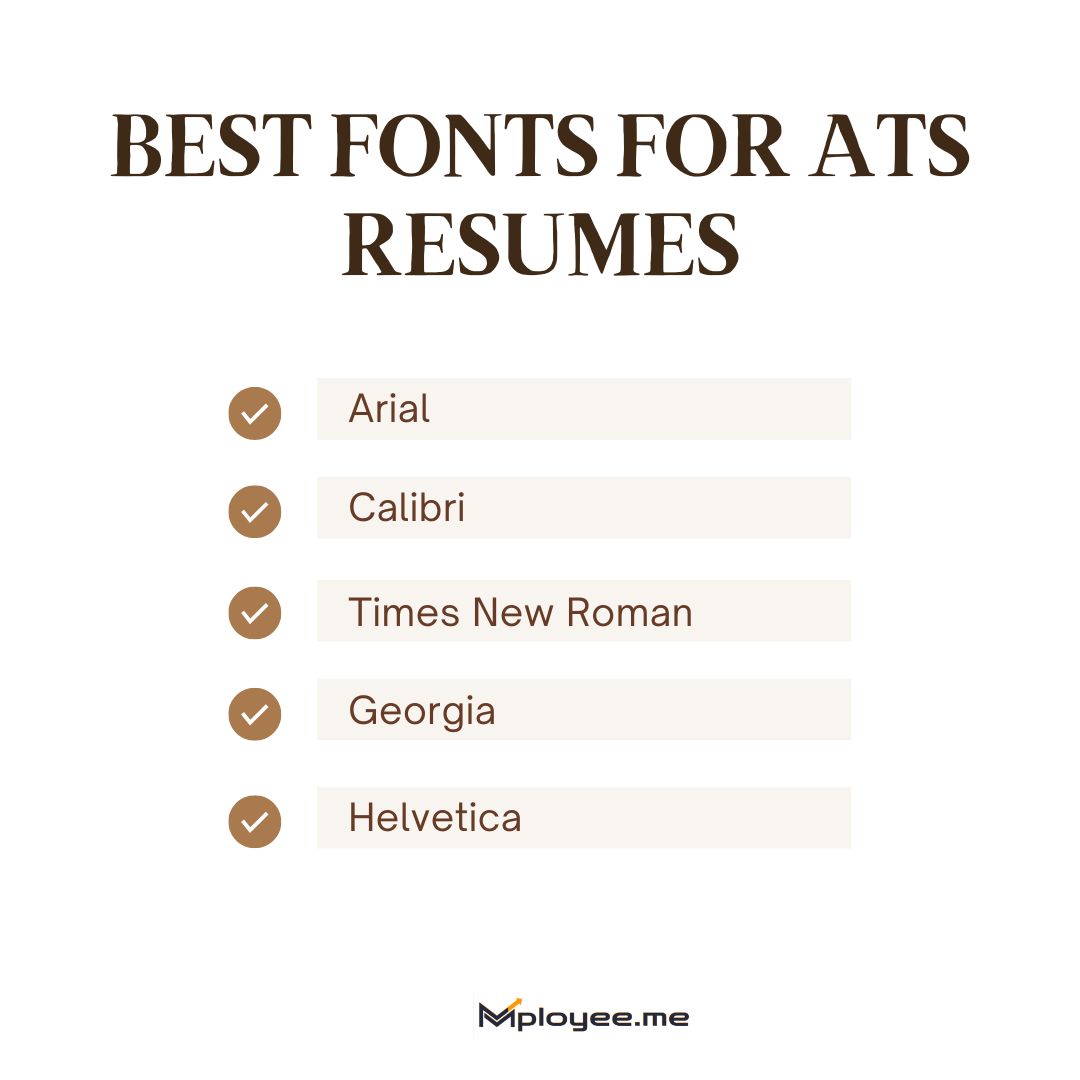
Best Fonts for ATS Resumes:
- Arial
- Calibri
- Times New Roman
- Georgia
- Helvetica
Recommended font sizes for each section:
- Use 14-16pt for your name and 12-14pt for section headers and 10-12pt for body text. Keep sizing consistent throughout because mixing too many sizes creates parsing confusion.
Readable, standard fonts keep your resume clear for both ATS software and recruiters.
Step 3. Structure Your Resume With Standard Section Headers
The ATS software requires your information to be categorized through specific section labels which it uses for identification purposes. The system fails to recognize my headers which include "My Journey" and "Toolkit" because they do not match standard categories.
- Contact information: Your name, phone number, email and LinkedIn URL should be placed at the document's beginning. The ATS system cannot process contact information when it is presented through icons or graphics.
- Professional summary: This brief overview of your qualifications is a good place to front-load keywords naturally. Your most relevant experience should be presented in two to three sentences.
- Work experience: Use this exact label. The parser will not understand your content if you choose "Career History" or "Professional Background" as alternative options.
- Skills: A dedicated skills section is critical for ATS matching. The system requires you to present keywords through scannable content which it can extract.
- Education: Include your degree, institution, and graduation date. The standard "Education" label should be used instead of academic background which includes all its variations.
The ATS system will immediately classify your information because you used section labels which it already knows.
Step 4. Extract Relevant Resume Keywords From the Job Description
The main component for ATS optimization needs to focus on matching specific keywords. You must find and use appropriate keywords from the job posting to create your resume because the system checks your resume against these keywords. The Resume Keyword Tool from Mployee.me is the best job description keyword finder.
- Identify hard skills and technical terms: Look for specific tools, software, certifications, and technical abilities mentioned in the posting. The job description requires you to use "Salesforce" instead of "CRM software" for correct naming.
- Note soft skills and action verbs: The employer wants you to determine which interpersonal skills and action words they consider important. The job descriptions provide common terms which include leadership, collaboration, managed, developed, and implemented. These terms help the ATS system match job descriptions to candidate profiles.
- Match industry-specific language: Use industry-specific terms from the job description. The ATS system will not understand your variation because you used "managing projects" instead of "project management."
The right keywords are the foundation of a high ATS score and better resume matching.
Here’s how to use Resume Keywords tool by mployee.me:
Step 1: Upload Your Resume

Step 2: Add Job Description

Step 3: Click Download Customized Resume and Add Skills

Step 4: Update Resume and Download

Step 5. Place Resume Keywords Strategically
Your resume requires specific locations for all keywords because they must be in designated parts of the document. Your match rate increases when you place your content strategically because ATS software assesses different sections with varying importance.
- Professional summary: Use the most important keywords here. ATS systems give this section high importance while recruiters use this section to evaluate candidates after their resumes pass through initial screening.
- Skills section: This area contains the highest number of keywords which you should use as your main keyword resource. The skills section needs to display keywords in a dedicated area which uses commas and bullet points for clear separation of terms.
- Work experience bullet points: Weave keywords naturally into your achievement statements. Contextual information exists because AT needs complete sentences to evaluate keyword usage.
Smart keyword placement boosts relevance without sacrificing clarity or readability.
Step 6. Optimize Your Skills Section for ATS Parsing
The skills section serves essential ATS matching purposes, yet its design elements require equal importance to its actual content. The skills section needs correct formatting because its current structure prevents proper keyword recognition despite having ideal keywords.
- Use a simple bulleted list: Skills should be presented through basic vertical lists which provide better results for all ATS systems.
- Include both hard and soft skills: The combination of hard skills and soft skills creates a foundation for understanding essential abilities which job descriptions typically require.
- Avoid graphs, charts, and rating scales: Visual skill ratings through graphs and rating scales should be avoided because an ATS cannot read them. Use text only. Advanced Excel should be written out instead of using a 4-star rating to show proficiency.
The ATS can easily identify essential qualifications through a skills section which presents information in a clear text format.
Step 7. Format Your Work Experience for ATS Readability
The resume ATS score assigns significant value to work experience for scoring purposes. The section needs to present information about job titles and companies and dates and accomplishments in a format which the system can extract correctly.
- Start with job title and company name: Your title should come first followed by the company name and finally the location details. The parser needs to identify each element which you should maintain across all your positions because this order should remain unchanged.
- Use reverse chronological order: Your most recent position should come before your other positions. The expected ATS format requires this structure because functional or hybrid formats create confusion for parsers.
- Create bullet points which highlight achievements: Begin bullets with strong action verbs like managed, developed, increased, implemented, or led. The writing should emphasize achievements instead of simply stating job responsibilities.
Your experience will be accurately parsed and properly ranked because you used a consistent structure when you check resume ATS score.
Step 8. Quantify Achievements With Numbers and Metrics
Your achievements need concrete metrics because they establish your identity which enables you to succeed in ATS screening. The ATS system uses numbers to check for quantified results which the recruiter then uses during the manual evaluation process.
- Revenue and cost savings: Financial impact assessment requires you to include revenue and cost savings information as your primary financial analysis method. The statements "Generated $2.3M in new sales" and "Reduced operational costs by $150K annually" serve as examples of this requirement.
- Percentages and growth rates: The use of specific numbers demonstrates improvement through percentage and growth rate metrics. The statement "Increased team productivity by 35%" and the statement "Improved customer retention rate from 72% to 89%" serve as examples.
- Team size and project scope: Your achievements require team size and project scope details which show how your work affected the organization. The statement "Led cross-functional team of 12" and the statement "Managed portfolio of 45 client accounts" serve as examples.
ATS systems along with recruiters use numbers to transform work duties into measurable results.
Step 9. Avoid Graphics, Tables, and Complex Formatting
Visual elements break ATS parsing. The resume shortlisting software will read your resume as scrambled text when it encounters graphics although humans find your resume visually appealing.
Elements to remove from your resume:
- Images and logos: Cannot be read and take up space that could contain keywords.
- Tables: Content may be scrambled or ignored entirely.
- Text boxes: They frequently get omitted or their content gets extracted in an incorrect sequence.
- Icons: Symbols for phone, email, or LinkedIn are not parsed.
- Columns: They create confusion about the correct reading sequence.
- Infographics: Completely invisible to ATS software.
The process of removing visual elements stops parsing errors while maintaining your resume content.
Step 10. Use Specific Dates and Address Employment Gaps
ATS systems along with recruiters require specific employment records which show complete work history. Both automated systems and human reviewers consider unexplained gaps and vague date information as critical issues which need to be investigated.
- Use MM/YYYY date format: Avoid using vague terms which include "Summer 2023" and "2022-Present" because these terms lack specific month details. You should write your date range as "06/2022 – Present" according to proper format.
- Explain career gaps briefly: If you have gaps, add brief context such as freelance work, education, caregiving, or professional development. You can use one line to explain your leave from work to take care of your family between January 2023 and June 2023.
People establish trust through the use of clear timelines which also help screening programs because they flag suspicious activity.
Step 11. Save Your Resume in the Correct File Format
The ATS system uses the file format to determine whether it can access your resume. The correct format choice impacts your score because different systems process file formats in distinct ways.
- When to use DOCX: The DOCX format provides users with both safe file security and complete access to all document content. The standard file format should be used as your primary option until job postings state that applicants must provide their documents as PDF files.
- When to use PDF: Only use PDFs when the job posting specifically requests them or when sending documents to a person. Some older ATS systems struggle with PDF documents, but newer systems have improved their PDF document processing abilities.
Your choice of file format determines whether your resume remains readable throughout the initial scanning process.
Resume File Formats and ATS Compatibility
| Format | ATS Compatibility | Best Use Case |
|---|---|---|
| DOCX | Highest | Default for all ATS submissions |
| Variable | When specifically requested or for human review | |
| DOC | Moderate | Legacy systems only |
| TXT | High (no formatting) | Only if required |
Step 12. Test Your Resume With an ATS Resume Scanner
Before submitting applications, you should test your resume with an ATS scanner. The ResuScan tool provides free access to ATS score results along with detailed error identification. You should apply only when your score reaches 80% because this score increase will boost your chances to reach human assessment.
Your ATS Resume Optimization Checklist
Use this checklist before every application:
- The layout should contain one column and display content without using tables or text boxes.
- The document requires standard ATS-friendly fonts which include Arial and Calibri and Times New Roman.
- The document requires section headers which follow common naming conventions for Work Experience and Skills and Education.
- The job description provides specific keywords which should be used to build the required skills.
- The summary section and skills section and experience bullets must contain the required keywords.
- The skills section should use a basic bulleted list format.
- The applicant should organize their work history according to reverse chronological order.
- The applicant should display their achievements through numerical data and performance metrics.
- The document contains no graphics elements which include images and icons and infographics.
- The applicant must present dates using MM/YYYY format while providing explanations for any missing time periods.
- The document should be saved as DOCX format while PDF format needs to be submitted only when the request has been made.
- The document achieved an ATS scanner score higher than 80 percent.
Do you want to evaluate your resume? The Mployee.me ResuScan, as it provides a free ATS resume scanner score.
Key Takeaways
Your ATS score achievement needs three elements which include clear presentation, relevant content, and ATS-compatible design for 2026.
- Resumes first undergo ATS software scanning and parsing because the system must evaluate document content before human assessment.
- The single-column layout delivers a clean design which stops parsing problems and maintains all content.
- ATS systems can read documents better when users select standard fonts together with section headers and date formatting.
- Your ATS match score depends on the specific keywords which you extract from the job description.
- The method of strategic keyword placement enables you to create relevant content while avoiding the practice of excessive keyword usage.
- The resume scanner for jobs requires a simple and organized skills section which must be developed according to its exact specifications.
- The ATS ranking will increase because quantitative achievements create stronger recruitment appeal.
- The ATS scanner test process enables you to achieve 80% score results on all tests you perform.
Your resume will successfully pass automated screening to reach recruiters when you follow these steps without fail.
What is a good ATS score for a resume in 2026?
The standard for a successful ATS score in 2026 requires candidates to achieve a minimum success rate of 80 percent. Automatic resume filtering will occur for documents that achieve less than 70 percent success rate because recruiters will not have access to them. The assessment result above 80 percent demonstrates excellent keyword matching results and correct document design and transparent document organization. Your chances of succeeding in the primary screening process increases when you achieve higher ATS score results.
How can I increase my ATS score fast?
Do ATS systems automatically reject resumes?
Is PDF or DOCX better for ATS resumes?
Should I use the same resume for every job application?

Got Your Answer ?
Learn this in 30 Seconds 👇

Career Blogs
Our career blog is your go-to resource for insightful advice, practical tips, and the latest trends in the job market.






Office Address: Room No 305, IIT ROPAR-TBIF, Top Floor (East Wing), M.Visvesvaraya, Rupnagar PB, 140001
- Free Online Resume Review
- Check Resume Score
- Job Description Keyword Finder
- Resume Shortlisting Software
- Resume Scanner for Jobs
- Find jobs that match with resume
- Job matching platform
- Resume job matching
- Job suggestion
- Best sites to find jobs
- Free ats resume scanner
- Auto apply for job
- Full Time Jobs
- I Need a Job
- Information Technology Jobs
Can't Find Something? Get in Touch.
©2026 Padhakku Peek A Book Pvt Ltd (Mployee.me)


