

We'll cover
How to Use a Job Scanner Tool to Find Jobs That Fit Your Resume
Written by Palak Jain
- 📌A job scanner compares your resume with live openings.
- 📌Job Match Pro refines matches using skills and preferences.
- 📌Upload resume, set preferences, and add keywords for accuracy.
- 📌High match scores lead to faster, better job results.
- 📌Tools like ResuScan boost ATS compatibility and visibility.
We'll cover:
What Is a Job Scanner Tool?
A job scanner is a tool that checks your resume against the current job openings on the leading job search sites. It points out which jobs are the closest to your profile, skills, and experience.
The job scanner is a more efficient tool than traditional job search sites, which display thousands of results. It only displays the most pertinent job matches and therefore saves time and increases your chances of getting the right opportunity.
Job Match Pro: Your Smart Job Scanner
Job Match Pro is one of the most powerful tools for job seekers. It will help your career grow by pairing best match jobs to your resume automatically.
You are not required to browse the job search sites in India for hours anymore. The intelligent job matching algorithm of the tool will locate the most relevant current job openings according to your skills and experience. It is user-friendly, quick, and aimed at bringing you closer to your ideal job.
How to Use Job Match Pro to Find Jobs?
Job Match Pro, as a job scanner, helps you find the right job faster and easier. Rather than going through the listings of hundreds on several job search sites, the tool will automatically match your resume to the current openings that are most relevant to you. It strikes a balance between job matching accuracy and time saving.
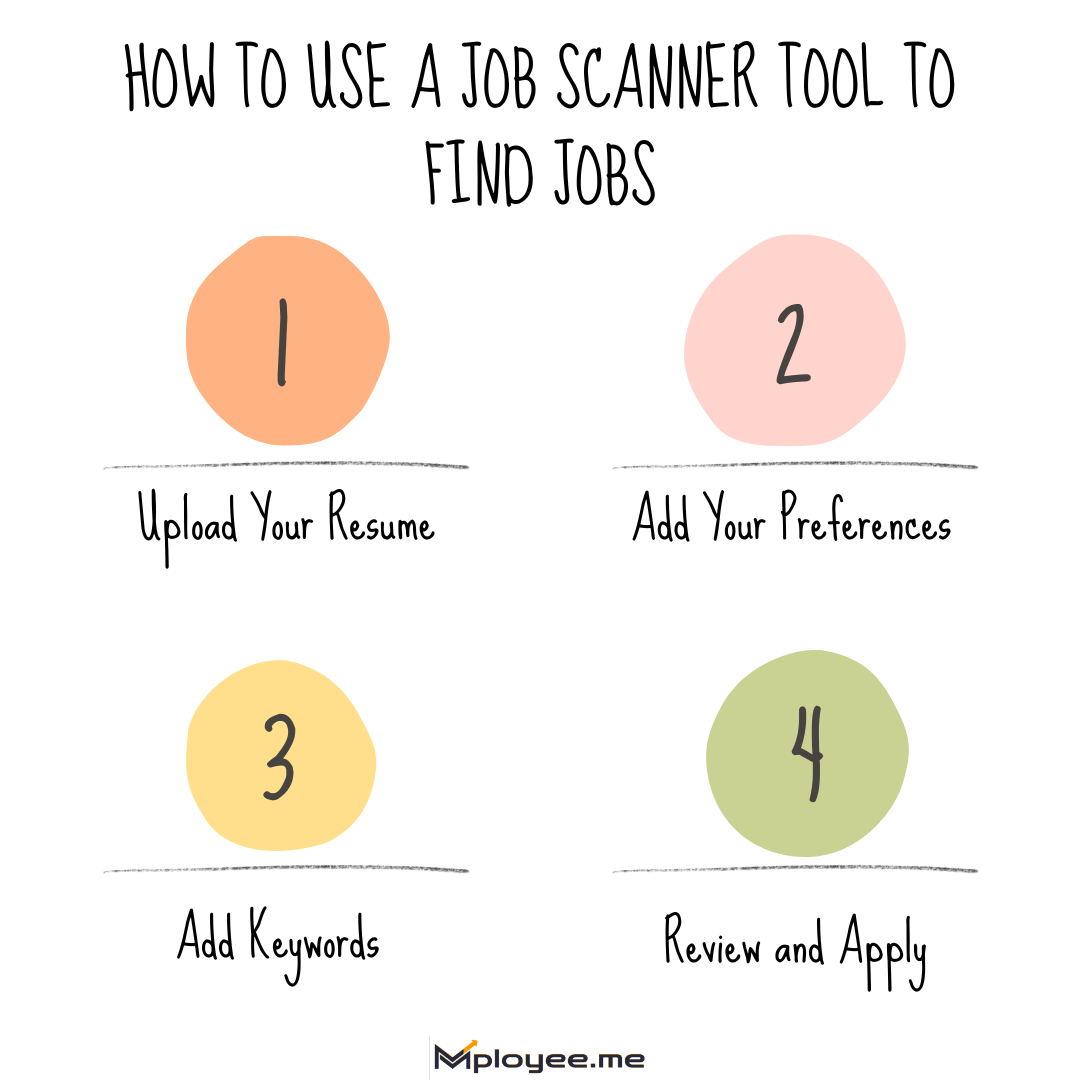
Step 1: Upload Your Resume
The first thing to do is to upload a resume on Job Match Pro. The tool then scans resumes and evaluates the skills, experience and qualifications. Your profile will be compared with those of the current job openings on the best job search sites such as Naukri, LinkedIn and Foundit. The job scanner will then show you the top list of roles with the highest job matching scores. This way only those jobs are shown to you that are good for your profile.
Step 2: Add Your Preferences
Now, you have to enter your preferences like the location, level of experience and industry type. Job Match Pro then refines results with the help of these details. It removes the irrelevant roles and brings to your notice the most suitable current job openings. By aligning your preferences, the job matching becomes more accurate and personal.
Step 3: Add Keywords
Add relevant skills and keywords to your profile. The job scanner will make use of these to enhance your job matching score. This step is to ensure that the jobs that are suggested are common to both your resume and employer's requirements on the best job search sites.
Step 4: Review and Apply
In the end, evaluate the proposed new job openings. Check the job matching score for each role and list the high-scoring ones. Send your application only for those positions where your profile is a good match. This way your chances of receiving calls for interviews get increased and you do not waste time on unsuited roles.
By following these steps, Job Match Pro will assist you in discovering the best jobs in no time without the need to search through multiple job search sites and at the same time making your career search smarter.
Benefits of Using Job Match Pro
There are plenty of advantages in using Job Match Pro that can lead to a fast, smart and efficient job search. Rather than spending lots of time searching through many job sites this tool takes over the entire process and finds exactly the most relevant current job openings for you while at the same time increasing the accuracy of your job matching.
What Makes Job Match Pro Different?
- Advanced Algorithm: This tool uses a highly intelligent algorithm that aligns your skills, background, and preferences with the available job vacancies. It guarantees that you are matched accurately with the jobs so that you do not waste your time on the unfit ones.
- Better Interview Chances: Job Match Pro not only puts you in the right-fit positions but also enhances your possibility of being called for an interview by the best employers. Applying to well-matched roles increases your visibility on job portals.
- Fast Results: This tool helps you get informed about the new job openings in 24 to 48 hours after they are made available. That is the reason why you could be one of the very first applicants.
- Early Application Advantage: Studies say that the candidates in the first 20% group are four times more likely to get called for an interview. Once you start using Job Match Pro, you quickly arrive at the leading job portals and get to enjoy this benefit.
- Top Job Search Sites Integration: The tool links you with the best opportunities available on Naukri, LinkedIn, and Foundit. All the current job openings are brought together for you to access easily.
- High Match Score Focus: Job Match Pro helps you only apply for job positions where you have a matching score of 60% or more. Such a practice guarantees that the jobs that are being selected for you are those that you would fit perfectly with in terms of skills and experience.
- Keyword Insights: The Job Match Pro tool reveals the keywords missing in your CV making it easier for you to enhance it before submission. Thus, your chances of getting past the ATS checks and being picked up by hiring managers on the job sites increase.
Job Match Pro saves you time by preventing the need to search for opportunities across multiple job boards. It takes care of the job application process by narrowing it down to just the most suitable current job openings from over 7 lakh jobs. Job searching has become simpler, quicker, and more powerful owing to this intelligent tool.
Tips to Improve Your Resume Match Score
Your match score indicates the degree to which your resume fits the job opening. Here are some tips to get it up:
- Relevant Keywords: Effectively add skills, tools, and job-specific terms that are present in the job description. The job scanner will notice these keywords, thus improving your job matching results.
- Use Simple Formatting: Make your resume clean and compatible with ATS. Avoid images, tables, or elaborate fonts since ATS cannot recognize them.
- Highlight Achievements: Do not limit yourself to indicating duties but rather zero in on the accomplishments that can be validated. Show clearly the help you have been to the past companies thus providing reinforcement for job matching with the current vacancies.
- Customize Your Resume: Adjust your resume to fit each job you apply to. There might be situations when different job sites and roles will give higher value to different skills, hence, the tailor-made approach would be the best for your match score to go up.
- Look for Absent Skills: Identify missing skills or keywords using Job Match Pro. By adding them you increase the correspondence with the current job offers.
- Update Resume: Go through your resume every now and then and add fresh experiences and skills. An updated resume not only helps the accuracy of job matching but also increases your chances of being invited for the interview.
Implementing these suggestions enables you not only to increase your match score but also to turn your resume into a job scanner-optimized one. Thus, you will be getting more significant results on the job search platforms.
Common Mistakes to Avoid When Using Job Scanners
Using a job scanner is an easy process but sometimes users make mistakes that reduce the potential of the results. Here are the mistakes and the solutions:
Common Mistakes to Avoid
The absence of the keywords may result in improper job matching.
A resume that is too old will not fit very well with the present day job openings.
A lack of preferences results in jobs that are not suited to you showing up in your search.
A single job search site would not show you a variety of jobs.
A focus on going for low-scoring jobs takes away your chances.
The use of vague words such as “team player” or “hardworking” does not add value.
Your job scanner will operate at maximum capacity, and you will be able to discover the most suitable job openings in no time if you use these tips.
Comparison Table of Job Matching Tools
Job hunting through various job search websites can take up a lot of your time. However, Job Match Pro gives you a smarter solution by scanning your CV and matching it with the existing jobs that are of your interest. Here’s the comparison:
Comparison Table of Job Matching Tools
| Feature | Job Match Pro | Naukri.com | |
|---|---|---|---|
| Comprehensive Job Matching | Matches your resume with jobs across multiple platforms | Provides job listings without matching to resume | Provides job listings without matching to resume |
| Fit Score Accuracy | Shows a clear match percentage for each role | Does not provide match scores | Does not provide match scores |
| Keyword Suggestions | Highlights missing keywords and skills to improve resume | Users must manually add keywords | Users must manually add keywords |
| Speed & Efficiency | Quickly delivers relevant jobs from multiple sources | Requires manual searching and filtering | Requires manual searching and filtering |
| Smart Filters | Considers experience, skills, and preferences for targeted results | Filters are basic and limited | Filters are basic and limited |
Job Match Pro helps you save time and keep your chances of being noticed up by aligning your CV with the most applicable current job openings.
Tools to Maximize Job Search Efficiency
You can get even better results if you combine Job Match Pro with other helpful tools like ResuScan and Resume Keywords by mployee.me.
ResuScan:
ResuScan is a modern resume scanning tool that rates your resume according to more than 40+ key factors.
- Guaranties your resume will be accepted by Applicant Tracking Systems (ATS).
- Utilizes an ATS score checker to fine-tune compatibility.
- Assists in raising the profile of your resume among recruiters on the best job search websites.
The better your resume quality is, the more your job matching accuracy for current job openings increases. When you use ResuScan, you are guaranteed that your resume is tailored for ATS and is suitable for the specific job applications.
Resume Keywords Tool by mployee.me:
The Resume Keywords tool enables you to bring your resume in line with job descriptions for better matching results.
- Examine both your resume and the job descriptions.
- Highlights significant keywords to be added or removed.
- Synchronizes your resume with ATS criteria to heighten your job matching potential.
- Aids you in passing the primary screening and getting to the hiring managers quicker.
With the help of Resume Keywords, your resume will have the necessary skills and terms, thus increasing your chances with the current job openings.
Employing all three tools: Job Match Pro, ResuScan, and Resume Keywords, guarantees that your CV is ready for ATS. It gives you the most relevant current job openings the maximum chance to be hired.
Key Takeaways
A job scanner, such as Job Match Pro, used together with ResuScan and Resume Keywords, will quicken, enhance, and be more effective your job search. Here are the key things to remember to get the best job suggestions:
- A job scanner aligns your CV with the most appropriate and available job postings.
- Through assessing the capabilities, experience, and preferences, Job Match Pro enhances the accuracy of job matching.
- Your match score is increased by the addition of appropriate keywords and the tailoring of your CV.
- To check your CV for ATS compatibility and general quality, use ResuScan.
- Resume Keywords points out the missing or unnecessary keywords that could be stopping you from getting recruiters’ attention, thus making them your friends.
- Always focus on those positions which have the highest match scores; this will help you to time your application and to do it effectively.
- Do not use outdated resumes, neglect preferences, or depend only on one job search site.
Using Job Match Pro, ResuScan, and Resume Keywords at the same time will not only increase your job matching potential but also assist you in finding the right current openings quickly and effortlessly.
How does a job scan work?
A job scan matches your resume with the current job postings in the leading job search sites. Tools such as Job Match Pro are looking at your abilities, experience, and qualifications through a microscope. Then, they present you with only the most related jobs that are perfect for you. A job scanner, through the use of keywords from job descriptions, not only enhances the accuracy of job matching but also directs you to the roles where recruiters are most likely to notice you.
What is the most used tool to find jobs?
What is the best way to search for a job?
What are the top 5 job search apps in India?
How to optimize your resume for job scanners?

Got Your Answer ?
Learn this in 30 Seconds 👇

Career Blogs
Our career blog is your go-to resource for insightful advice, practical tips, and the latest trends in the job market.








Office Address: Room No 305, IIT ROPAR-TBIF, Top Floor (East Wing), M.Visvesvaraya, Rupnagar PB, 140001
- Free Online Resume Review
- Check Resume Score
- Job Description Keyword Finder
- Resume Shortlisting Software
- Resume Scanner for Jobs
- Find jobs that match with resume
- Job matching platform
- Resume job matching
- Job suggestion
- Best sites to find jobs
- Free ats resume scanner
- Auto apply for job
- Full Time Jobs
- I Need a Job
- Information Technology Jobs
Can't Find Something? Get in Touch.
©2026 Padhakku Peek A Book Pvt Ltd (Mployee.me)


