

We'll cover
How to Message Recruiters on LinkedIn for Internships
Written by Jatin Batra
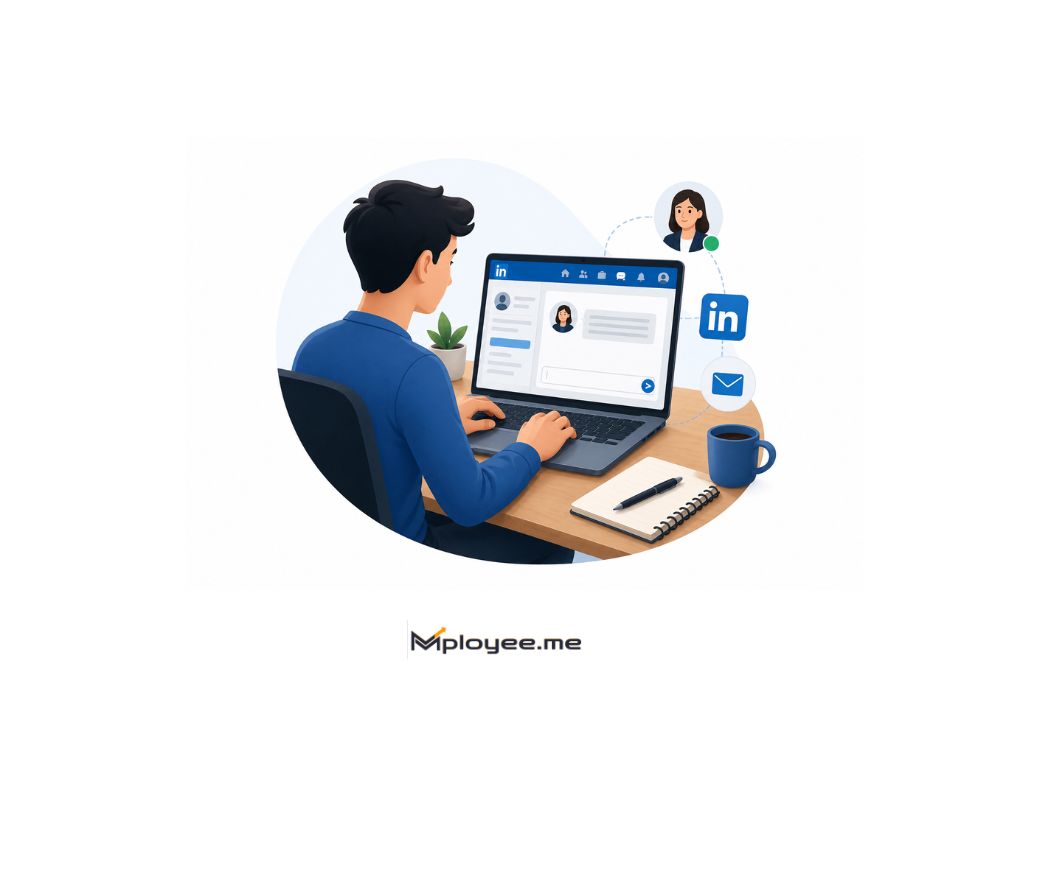
- Keep your LinkedIn message short, personal, and specific.
- Before messaging, update your LinkedIn profile, resume, skills, and projects.
- Message the right person, such as recruiters, hiring managers, alumni, or campus hiring teams.
- Use a simple formula: introduce yourself, mention the internship role, add one relevant skill, and ask politely for guidance.
- Follow up once after a few days, but avoid sending repeated messages to the same recruiter.
- Always verify the recruiter and company before sharing documents or personal details.
We'll cover:
What Is a LinkedIn Cold Message for an Internship?
A LinkedIn cold message for an internship is a short message you send to a recruiter, hiring manager, founder, alumni, or employee even when they do not know you personally.
For example, a student may find a recruiter from a company they want to join and send a polite message introducing themselves, mentioning their interest in an internship, and asking if there are any suitable openings or the right person to contact.
It is called a “cold” message because there is no previous conversation. But that does not mean the message should feel random. A good LinkedIn cold message for an internship should feel personal, clear, and respectful. It should explain who you are, what kind of internship you are looking for, why you are reaching out, and what small action you want from the recruiter.
The goal is not to directly ask, “Please give me an internship.” The better goal is to start a professional conversation and make it easy for the recruiter to check your resume, profile, or portfolio.
Quick Answer
To message recruiters on LinkedIn for internships, keep your message short, personal, and specific. Introduce yourself, mention the internship role, add one relevant skill or project, explain why you are reaching out, and end with a small polite request such as asking for the right application link or contact person.
How Cold Messaging on LinkedIn Helps You Find Internships
Many students apply to internships only through job portals. They upload a resume, click apply, and then wait. The problem is that hundreds of other students may be doing the same thing for the same role.
Cold messaging gives you one extra chance to be noticed.
When you message a recruiter, hiring manager, alumni, or employee on LinkedIn, you are not replacing the normal application process. You are adding a human touch to it. A short, polite message can help you introduce yourself, show interest in the company, and ask if there is a suitable internship opening or the right person to contact.
This works especially well when your message is personalized and clear. LinkedIn’s own student cold messaging advice also recommends keeping messages short, specific, and personalized instead of sending generic requests.
For example, instead of only applying online, a student can apply for a marketing internship and then message the recruiter saying they have applied, are interested in the role, and would be grateful if the recruiter could review their profile. This small step can make the application feel more active and intentional.
Cold messaging may not guarantee an internship, but it can help you build connections, find hidden opportunities, and increase the chances that the right person actually notices your profile.
What Should You Do Before Messaging a Recruiter on LinkedIn?
Before sending a message, think from the recruiter’s side. They may not reply only by reading your message. They may quickly open your profile and check whether you look relevant for the internship. That is why preparation matters. LinkedIn’s student outreach guidance also focuses on reaching the right person and making the message specific instead of sending random outreach.
| What the Recruiter Checks | What You Should Fix First |
|---|---|
| Your headline | Mention your target internship role clearly, like “Marketing Student Looking for Social Media Internship”. |
| Your profile summary | Add 2–3 lines about your skills, interests, projects, and internship goal. |
| Your projects or experience | Add college projects, freelance work, certifications, competitions, or previous internship work. |
| Your skills section | Keep skills related to the internship you want, not random skills. |
| Your resume readiness | Keep your resume updated and run it through an ATS resume checker before messaging, in case the recruiter asks for it. |
| The recruiter’s role | Check if they actually hire for interns, campus roles, early careers, or your target department. |
How to Find Recruiters and Hiring Managers for Internships on LinkedIn
Finding the right person matters more than sending messages to everyone. On LinkedIn, you can search for recruiters, hiring managers, alumni, team leads, and employees who are connected to the company or internship role you want. LinkedIn’s own internship guidance also suggests using search terms like “we’re hiring” or “internship opportunities” and filtering recent posts to find fresh leads. Use searches like these directly on LinkedIn:
| Search on LinkedIn | Why It Helps |
|---|---|
| “Recruiter internship [company name]” | Helps you find recruiters hiring for intern or early-career roles. |
| “Talent acquisition intern hiring [company name]” | Finds HR, talent acquisition, or campus hiring people. |
| “Hiring manager [role name] [company name]” | Useful when you want to reach the department person, not only HR. |
| “Marketing intern hiring” | Helps you find posts from people hiring for that specific internship. |
| “Software intern recruiter India” | Helps you find recruiters by role and location. |
| “Campus recruiter [company name]” | Good for college students and fresher internship roles. |
| “Early careers recruiter [company name]” | Useful for internships, graduate roles, and trainee openings. |
How to Message Recruiters on LinkedIn for an Internship
Many students lose replies because their message sounds too direct or too vague. The goal is not to ask the recruiter to “give” you an internship. The goal is to introduce yourself clearly and make it easy for them to guide you. Strong LinkedIn outreach advice usually focuses on being short, personalized, and clear about the next step.
| Weak Message | Better Message |
|---|---|
| Hi, I need an internship. Can you help? | Hi [Name], I’m a final-year BBA student interested in marketing internships. I saw your company is growing its digital team, and I’d love to learn if any internship openings are available. |
| Please refer me for an internship. | Hi [Name], I recently applied for the [Role Name] internship at [Company]. My background includes [skill/project]. I’d be grateful if you could guide me on the next step. |
| Sir/mam, please check my resume. | Hi [Name], I’m exploring internship opportunities in [field]. I noticed you work with hiring at [Company]. Could you please let me know if there is a suitable person I should contact? |
| Any internship available? | Hi [Name], I’m a [course/year] student with experience in [project/skill]. I’m interested in internship roles at [Company] and wanted to ask if your team is hiring interns. |
Internship Cold Message Template LinkedIn: 5 Ready-to-Use Examples
A good template should save time, but it should not make every message sound copied. Use these examples as a starting point and change the recruiter’s name, company, role, skill, and internship area before sending. Strong LinkedIn outreach examples usually work best when they are short, personalized, and focused on one small task.
LinkedIn Message to Recruiter for Internship After Applying
After applying for an internship, sending a short LinkedIn message can help your application become more noticeable. Many students know how to message recruiters before applying, but they often feel confused about what to say after submitting the application.
The goal is simple: remind the recruiter that you have applied, show genuine interest in the internship, and highlight one reason your profile matches the role. Your message should not sound pushy or desperate. It should feel like a polite follow-up that makes it easier for the recruiter to check your application.
A good message should start with the recruiter’s name and mention the internship role you applied for. Then, add one relevant skill, project, or experience that connects with the job description. Before sending the message, you can also compare your resume with the internship description using an ATS keyword tool so you know which skills are worth highlighting.
End the message with a small and respectful request. You can ask if there is any next step you should follow or whether they can guide you through the process. Finally, thank them for their time so the message feels professional and easy to reply to.
How to Follow Up With a Recruiter on LinkedIn After No Reply
Following up is important, but the tone should stay polite and calm. A recruiter may not reply because they are busy, the role is paused, or your message was missed. If you are learning how to message recruiters on LinkedIn for internship opportunities, remember that the follow-up should not feel like pressure. Jobright suggests waiting 5–7 days before sending one polite follow-up, because repeated follow-ups can start to feel like spam.
| No Reply Situation | What It May Mean | What You Should Do |
|---|---|---|
| No reply after your first LinkedIn cold message for internship | The recruiter may be busy or may not have seen your message yet. | Wait 5–7 days before sending one short follow-up. |
| No reply after sending a LinkedIn message to recruiter for internship after applying | Your application may still be under review, or the recruiter may not handle that opening. | Mention the role you applied for and ask politely if there is any next step. |
| No reply after asking about internship openings | The company may not have active internships right now. | Ask if they can guide you to the right recruiter, hiring team, or careers page. |
| No reply from a hiring manager | They may not be involved in internship hiring directly. | Try reaching out to a campus recruiter, HR person, or talent acquisition team member. |
| No reply after using an internship cold message template LinkedIn format | Your message may sound too copied or generic. | Personalize it with the recruiter’s name, company, role, and one real reason for messaging. |
| No reply after asking how to ask for internship on LinkedIn | Your message may be too broad, like “Any internship available?” | Make your ask specific by mentioning your internship field, skill, and target role. |
| No reply after sending your resume directly | Sending a resume without context can feel random. | First introduce yourself, explain your internship interest, then offer to share your resume. |
| No reply even after one follow-up | The recruiter may not be interested, unavailable, or not the right contact. | Stop chasing the same person and use a better recruiter message template for internship for other relevant recruiters. |
Common Mistakes Students Make While Asking for Internship on LinkedIn
Many students search for how to message recruiters on LinkedIn for internship opportunities, but they make small mistakes that reduce their chances of getting a reply. A good message should feel personal, clear, and respectful. It should not look copied, desperate, or confusing. Jobright also highlights that LinkedIn internship outreach works better when the message is personalized, focused, and based on a clear ask.
Sending the same message
A copied LinkedIn cold message is easy to ignore. Add the recruiter’s name, company, role, or one real reason for reaching out.
Asking directly for internship
“Please give me an internship” can sound desperate. Ask for guidance, the right link, or the correct person to contact.
Messaging the wrong person
Not every employee hires interns. Look for recruiters, HR, campus hiring teams, hiring managers, or department employees.
Writing a long message
A long message feels like extra work. Keep your LinkedIn message short, polite, and focused on one simple request.
Using a template as it is
A template helps only when you edit it. Change the course, company, role, skill, and reason before sending.
Not making your ask clear
Avoid vague lines like “Any opportunity available?” Mention your internship field, background, and what help you need.
Sending resume without context
A resume sent alone can feel random. Introduce yourself first, explain your interest, then offer to share your resume.
Following up too soon
Messaging again in 1–2 days can look impatient. Wait a few days, send one polite follow-up, then move on.
Sounding too desperate
Lines like “I badly need an internship” reduce professionalism. Keep the tone simple, polite, and confident.
Incomplete LinkedIn profile
Even a good message may fail if your LinkedIn profile is empty. Update headline, skills, projects, and resume first.
Key Takeaways
- A good LinkedIn message for an internship should be short, personal, and easy to reply to.
- Students should avoid copy-paste messages and personalize each message with the recruiter’s name, company, role, or hiring context.
- Before messaging recruiters, students should update their LinkedIn profile, headline, About section, skills, projects, and resume.
- The best internship messages include who you are, what role you want, one relevant skill or project, and a polite request.
- Instead of asking “Please give me an internship,” students should ask for guidance, the right application link, or the correct person to contact.
- Students should message the right people, such as recruiters, HR professionals, campus recruiters, hiring managers, alumni, or employees from the target department.
- After applying for an internship, a short LinkedIn follow-up can help remind the recruiter about your application without sounding pushy.
- One polite follow-up after a few days is enough; repeatedly messaging the same recruiter can look impatient or spammy.
- Sending a resume without context can feel random, so students should first introduce themselves and explain their internship interest.
- Students should verify recruiters and companies before sharing resumes, personal documents, or sensitive information online.
How do I message recruiters on LinkedIn for an internship?
Start by keeping your message short, clear, and personal. A recruiter should quickly understand who you are, what internship you want, and why you are messaging them. Avoid sending a copied message to many people because LinkedIn’s student outreach guidance recommends identifying relevant people and showing genuine interest before messaging.
- Start with the recruiter’s name
- Mention your course, year, or background
- Clearly say which internship role or field you are interested in
- Add one relevant skill, project, or certification
- Ask for guidance, the right application link, or the correct person to contact
- Keep the message polite and easy to reply to
The best way to message recruiters on LinkedIn for internship opportunities is to sound professional, specific, and respectful instead of desperate or generic.
Can I ask for an internship directly on LinkedIn?
What is the best LinkedIn message to a recruiter for an internship after applying?
How do I ask for an internship on LinkedIn with no experience?
What is a good internship cold message template LinkedIn students can use?
Should I send my resume in the first LinkedIn message?
How soon should I follow up with a recruiter after no reply?

Got Your Answer ?

Career Blogs
Our career blog is your go-to resource for insightful advice, practical tips, and the latest trends in the job market.





Office Address: Room No 305, IIT ROPAR-TBIF, Top Floor (East Wing), M.Visvesvaraya, Rupnagar PB, 140001
- Free Online Resume Review
- Check Resume Score
- Job Description Keyword Finder
- Resume Shortlisting Software
- Resume Scanner for Jobs
- Find jobs that match with resume
- Job matching platform
- Resume job matching
- Job suggestion
- Best sites to find jobs
- Free ats resume scanner
- Auto apply for job
- Full Time Jobs
- I Need a Job
- Information Technology Jobs
Can't Find Something? Get in Touch.
©2026 Padhakku Peek A Book Pvt Ltd (Mployee.me)


