

We'll cover
How to Job Search in 2026 Using AI
Written by Palak Jain
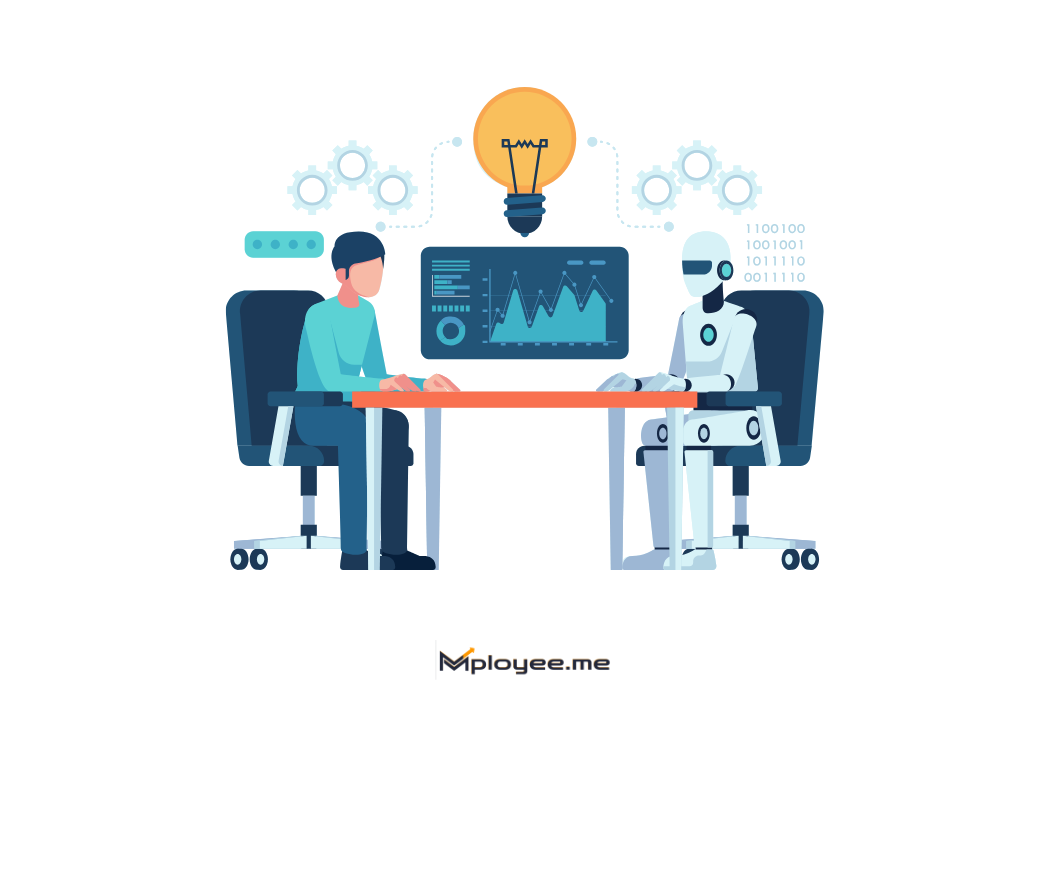
- AI can help job seekers find better-fit jobs by matching resumes, skills, experience, salary expectations, and location preferences.
- An ATS-friendly resume is important in 2026 because many companies use AI screening before recruiters review applications.
- Resume keyword optimization can improve shortlist chances when keywords are added naturally from the job description.
- AI tools can support resume editing, cover letter writing, application tracking, job matching, and interview preparation.
- Using one generic resume for every job is less effective; small role-specific changes can improve relevance.
- AI should be used as an assistant, not a replacement, because candidates must keep applications honest, accurate, and human.
We'll cover:
Should I use AI to land a job in 2026?
Yes, using AI in your 2026 job search is no longer optional if you want to stay competitive. It can help you improve your resume, personalize applications, strengthen your LinkedIn profile, practice interviews, identify missing skills, and write sharper recruiter messages. Many candidates are already using AI tools to move faster and present themselves better, so ignoring them can put you behind in the hiring process. The key is to use AI for support, not shortcuts. Keep every detail honest, relevant, and based on your actual experience, because hiring teams want to see your real work, not just polished AI wording.
How to Job Search in 2026 Using AI
Job searching in 2026 is not just about opening LinkedIn or Naukri and applying to whatever looks suitable. That method may still work sometimes, but for most candidates, it wastes a lot of time. The bigger challenge is finding the right jobs, applying early, and making sure your resume looks relevant before a recruiter or ATS scanner rejects it.
AI can make this process easier, but only if you use it like an assistant. It can help you check your resume, compare it with job descriptions, find missing keywords, prepare for interviews, and even plan your applications for the week. Still, the final decision should always be yours because AI does not know your career story better than you do.
- ATS friendly resume: Do not start with job applications. Start with your resume. Use AI to check whether your resume is clear, ATS-friendly, and easy for recruiters to scan. Sometimes a small change in your headline, skills section, or project description can improve your chances.
- Find better jobs: Many candidates apply only by job title. That is a mistake. Use AI tools to find roles that match your actual skills, experience level, location preference, salary range, and industry background.
- Match job keywords: Before applying, paste the job description into an AI tool and ask what skills or keywords are missing from your resume. Add only the keywords that honestly match your experience. Resume Keywords helps job seekers add relevant keywords without stuffing, making the resume more ATS-friendly and readable
- Tailor your resume: You do not need a new resume for every job. But you should adjust the summary, skills, and a few bullet points so the resume feels closer to the role you are applying for.
- Interview prep: AI chatbots can help you practice common HR questions, technical questions, and role-specific questions. The best way is to give AI your job role and experience, then ask it to act like an interviewer.
- Track your applications: Do not apply randomly and forget. Keep a simple tracker. Note which platforms, job titles, and resume versions are getting responses. AI can help you understand what is working and what needs to change.
How to Build an ATS-Friendly Resume Using AI
Start by writing all your basic resume details in a simple Word document before using any AI tool. Add your education, work experience, internships, projects, certifications, skills, achievements, and the job roles you want to target. This gives AI the right information to work with instead of guessing. Once your raw details are ready, you can use AI prompts to generate the content, improve bullet points, add relevant keywords, and make your ATS-friendly resume without making it sound fake or over-written.
Summary prompt - Write a professional resume summary for me in 3–4 lines, around 150 words, based on the details below. Keep it ATS-friendly, clear, and specific to the job I am applying for. Highlight my experience level, key skills, tools, industry knowledge, and strongest achievements without exaggerating anything. My target role is [Enter target role], my years of experience are [Enter years of experience], my key skills are [Add key skills], the tools/technologies I know are [Add tools/technologies], my strongest achievements are [Add achievements], my industry/domain is [Add industry/domain], and the job description is [Paste job description].
Output only the final resume summary in paragraph format.
Experience prompt -Create a job-focused resume experience section based on my experience below. Write short, ATS-friendly bullet points using strong action verbs. Focus on responsibilities, tools used, achievements, and measurable impact. Keep the bullets honest, specific, and relevant to the job I am applying for. My target role is [Enter target role], the job description is [Paste job description], and my experience details are [Paste your experience, responsibilities, tools used, achievements, and measurable results].
Write 4–6 resume bullet points I can directly use.
Projects prompt - Customize my projects section for the job I am applying for. Use my project details and the job description to highlight the most relevant tools, skills, responsibilities, and outcomes. Make it ATS-friendly, job-focused, and honest without adding anything I have not mentioned. The job title is [Add job title], the company name is [Add company name], the job description is [Paste JD], and my project details are [Paste project name, tools used, what you did, challenges solved, and results].
Write the final projects section in resume-ready bullet points.
Skills prompt - Create an ATS-friendly Skills section for my resume using the details below: Job Title: [Enter job title], Job Description: [Paste job description], Experience Level: [Fresher / Experienced], My Skills: [Add skills, tools, projects, certifications, or work experience], and Numbers/Achievements: [Add real numbers if available]. Match the skills to the job description, group them into clear categories, and adjust the wording based on my experience level. Include numbers only if I provide them. Do not add fake skills, tools, certifications, projects, or achievements. Output the final Skills section in a clean, ATS-friendly format.
Before applying for any job, check whether your resume is ATS-friendly. A resume may look good visually, but it can still have formatting issues, missing keywords, weak sections, or readability problems that reduce your chances of getting shortlisted.
Use ResuScan to check your resume score, identify ATS issues, and find exact areas you should improve before sending your application.
Best AI tools to find Relevant Jobs Faster
In 2026, the best AI tools for job search are the ones that reduce wasted effort. Most candidates do not struggle because there are no jobs. They struggle because they apply to the wrong jobs, use weak resumes, miss important keywords, or spend too much time switching between platforms. A good AI job search tool should help you find better-fit roles, improve your resume, match job descriptions, and prepare applications without making everything sound robotic.
- Job Match Pro: Best for finding relevant jobs faster. Job Match Pro helps match your resume, skills, preferences, and experience with suitable job openings, including jobs from platforms like LinkedIn, Naukri, and Foundit. It is useful for candidates who want to stop scrolling through random job finding websites and focus only on high-match jobs. Job Match Pro brings together jobs from Naukri, LinkedIn, and FoundIt, helping users explore more opportunities without switching apps and has helped over 70K+ job seekers find relevant jobs faster through its Latest Jobs and Match Score features.
- Rezi: Best for AI resume building. Rezi is useful when you want to create a professional resume, improve formatting, and make your resume more ATS-friendly. It works well for candidates who need multiple resume versions for different roles without starting from zero every time.
- Teal: Best for resume building and job tracking. Teal helps candidates create ATS-friendly resumes, match resumes with job descriptions, save jobs, and track applications in one place. It is a good option for people applying to many roles every week and needing better organization.
- Jobscan: Best for resume keyword optimization. Jobscan compares your resume with a job description and shows keyword gaps, ATS match issues, and missing skills. It is helpful before applying to important roles where resume-job description matching matters a lot.
- CareerSwift: Best for end-to-end job search automation. CareerSwift offers AI resume building, targeted resume optimization, cover letter generation, LinkedIn profile scoring, job tracking, interview practice, and application automation features. It suits candidates who want one tool for multiple parts of the job search process.
When you apply to different jobs, your resume should not remain exactly the same. Each job description has different skills, tools, and keywords, so your resume should be adjusted accordingly. If you are applying to 100 jobs, ideally you need 100 slightly tailored resume versions.
Doing this manually can take a lot of time, so use an AI resume keyword tool to compare your resume with each job description, find missing keywords, and quickly update your skills section with relevant terms before applying.
Can AI Write a Cover Letter for Me?
Yes, AI can write a cover letter for you, but it should not be copied exactly as it is. A good AI-generated cover letter can give you a strong starting point by using the job role, company name, your experience, and key skills from the job description. It can also help you avoid blank-page stress and create a cleaner structure. However, you should always edit the final version in your own voice. Add real examples, achievements, and why you are interested in that company. A personal, honest cover letter usually works better than a generic AI draft.
Cover letter prompt - Create a professional ATS-friendly, and personalized cover letter for me using these details: Job Title: [Enter job title], Company Name: [Enter company name], Job Description: [Paste the full job description], My Resume/Profile Summary: [Paste your resume summary or key experience], My Skills: [Add your relevant skills], My Experience: [Add your current/previous role, years of experience, responsibilities, and achievements], and My Projects/Achievements: [Add 2–3 important projects, results, numbers, or achievements]. Write the cover letter in a professional, confident, human-written, and easy-to-understand tone. Match my experience with the job description and naturally include important keywords from the job description. Do not add fake experience, skills, tools, certifications, projects, or achievements. Keep it short and clear, around 250–350 words. Start with a strong opening paragraph, explain why I am suitable for the role, mention 1–2 achievements only if I have provided them, and end with a polite call to action. Avoid generic lines like “I am writing to apply for this position.” Make it ATS-friendly, recruiter-friendly, and natural, not overly AI-generated.
Professional Cover Letter Example
Your Name – Professional Applicant
Dear Hiring Manager,
I am interested in applying for the open role at your organization. With relevant professional experience, practical industry exposure, and a strong understanding of workplace responsibilities, I am confident in my ability to contribute effectively to your team.
In my previous roles, I have handled responsibilities related to planning, execution, coordination, reporting, process improvement, and stakeholder communication. I have also worked with tools and systems that helped improve accuracy, efficiency, and overall work quality.
My experience has helped me build a practical approach to solving problems, managing priorities, and delivering work within deadlines. I am now looking for an opportunity where I can apply my skills, take on new challenges, and contribute to a results-focused organization.
Thank you for reviewing my application. I would welcome the opportunity to discuss how my experience, skills, and professional background align with your organization’s requirements.
Sincerely,
Your Name
How to Use AI for LinkedIn Optimization
LinkedIn optimization becomes easier when you know which sections matter most. AI can help you improve your headline, About section, and experience section so recruiters quickly understand your target role, skills, and work background. The key is to give AI the right details and then edit the output in your own voice.
LinkedIn Headline - Your headline should clearly show your target role, top skills, tools, and industry keywords. Avoid writing only “Open to Work” or just your current designation
Prompt - Act as a LinkedIn profile optimization expert. Write 5 LinkedIn headline options for a [Job Role]. Include my skills: [Add Skills], tools: [Add Tools], industry: [Add Industry], and experience level: [Fresher/Experienced]. Keep it recruiter-friendly, keyword-rich, and natural.
About Section - Your About section should explain who you are, what you do, and what kind of roles you are targeting. Keep it simple, personal, and focused on your skills, experience, achievements, and career direction
Prompt - Rewrite my LinkedIn About section for a [Job Role]. Keep it natural, professional, and recruiter-friendly. Mention my experience in [Add Domain], skills like [Add Skills], tools like [Add Tools], and career goal of applying for [Target Roles]. Do not make it sound robotic or exaggerated.
Experience Section - Your experience section should show what you actually did, not just list job responsibilities. Use AI to turn plain lines into stronger points with tools used, actions taken, and real outcomes
Prompt - Rewrite my LinkedIn experience section for the role of [Job Title]. Convert my responsibilities into clear, achievement-based bullet points. Use my tools and skills: [Add Tools/Skills]. Do not add fake numbers, fake achievements, or skills I have not mentioned. Keep the tone natural and professional.
Step-by-Step Guide to Using AI Chatbots for Interview Preparation
AI chatbots can be very useful for interview preparation, but only when you guide them properly. If you just ask, “Give me interview questions,” the answers may be too basic. A better way is to share the job role, job description, your experience level, skills, and target company type. Then the chatbot can create more relevant questions, review your answers, and help you improve like a real interview coach.
Step 1: Give the right prompts for interview preparation - Start by giving the AI chatbot enough context. Mention the role you are applying for, your years of experience, key skills, and the job description. This helps the chatbot generate better interview questions.
You can use prompts like:
- “Act as an interviewer for a [Job Role] position and ask me questions based on this job description.”
- “Create 20 interview questions for a [Job Role] with [X years] of experience.”
- “Ask me technical, HR, and situation-based questions for this role.”
- “Give me questions that a top company recruiter may ask for this position.”
- “Create difficult interview questions based on my resume and this JD.”
- “Take my mock interview one question at a time.”
Step 2: Answer the questions yourself - Once the chatbot gives you a list of questions, do not ask it to write all the answers immediately. First, answer the questions in your own words. This is important because interviews are not about perfect textbook answers. Recruiters want to hear your real experience, examples, and thinking process.
Write or speak your answer like you would in an actual interview. Keep it clear, honest, and structured. For experience-based questions, you can follow a simple format: situation, task, action, and result.
Step 3: Ask AI to rate your answer and find mistakes - After you answer, ask the chatbot to review your response. Tell it to rate your answer out of 10 and explain what was weak, what was missing, and how you can improve.
Use prompts like:
- “Rate my answer out of 10 like a strict interviewer.”
- “Tell me what mistakes I made in this answer.”
- “Rewrite my answer to make it clearer, more confident, and interview-ready.”
- “What follow-up questions can the interviewer ask from my answer?”
- “Train me until I become top 1% interview ready for this role.”
Step 4: Practice follow-up questions - Good interviewers rarely stop at one answer. They ask follow-up questions to check whether you actually know the topic. After your first answer, ask AI to challenge you with deeper questions.
For example, you can say, “Ask me 5 follow-up questions based on my previous answer.” This will help you prepare for real interview pressure.
Step 5: Repeat the process until your answers sound natural - Do not memorize AI-generated answers word for word. That usually sounds fake. Instead, practice until your answer becomes clear and natural. The goal is to understand your own experience better, explain it confidently, and avoid weak or incomplete answers during the actual interview.
Key Takeaways
- AI helps candidates find better-fit jobs faster by matching resumes, skills, experience, salary expectations, and location preferences with relevant openings.
- An ATS-friendly resume is essential in 2026 because many companies use applicant tracking systems and AI screening tools before a recruiter reviews the resume.
- Resume keyword optimization improves shortlist chances when candidates naturally add relevant skills, tools, job titles, and industry terms from the job description.
- AI tools can improve the full job application process, including resume editing, cover letter writing, application tracking, job matching, and interview preparation.
- Job seekers should not rely on one generic resume because small changes to the summary, skills section, and experience bullets can make applications more role-specific.
- AI should be used as an assistant, not a replacement, because candidates still need to check accuracy, avoid fake claims, protect personal data, and keep applications human.
What Is the Best Way to Job Search in 2026?
The best way to job search in 2026 is to combine AI tools with focused applications and networking. Use AI to improve your resume, match it with job descriptions, and prepare for interviews. Instead of applying everywhere, target roles where your skills, experience, and keywords closely match the employer’s requirements.
How to Use AI to Find a New Job?
Which AI Tool Is Best for Recruitment?
Is It Safe to Share My Personal Information With AI Job Search Tools?
What Is the New AI Trend in 2026?

Got Your Answer ?

Career Blogs
Our career blog is your go-to resource for insightful advice, practical tips, and the latest trends in the job market.





Office Address: Room No 305, IIT ROPAR-TBIF, Top Floor (East Wing), M.Visvesvaraya, Rupnagar PB, 140001
- Free Online Resume Review
- Check Resume Score
- Job Description Keyword Finder
- Resume Shortlisting Software
- Resume Scanner for Jobs
- Find jobs that match with resume
- Job matching platform
- Resume job matching
- Job suggestion
- Best sites to find jobs
- Free ats resume scanner
- Auto apply for job
- Full Time Jobs
- I Need a Job
- Information Technology Jobs
Can't Find Something? Get in Touch.
©2026 Padhakku Peek A Book Pvt Ltd (Mployee.me)


