

We'll cover
PDF vs Word Resume: Which Is Better for ATS?
Written by Jatin Batra
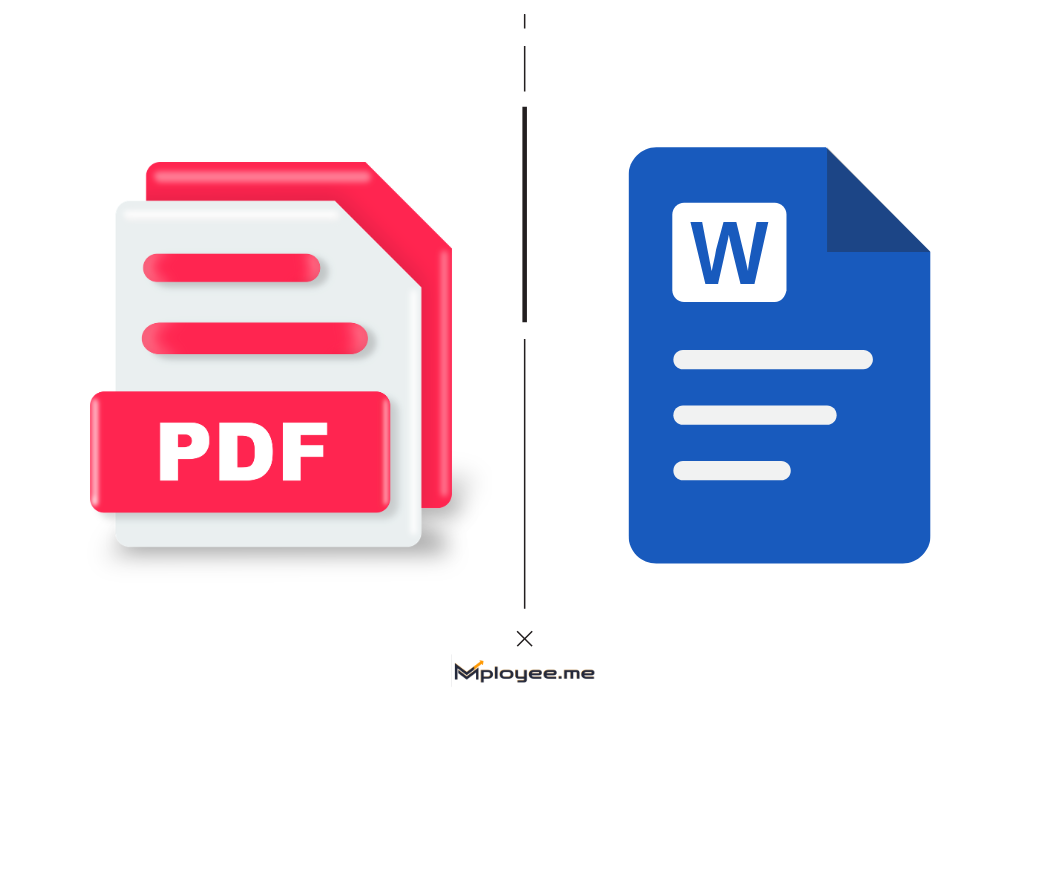
- PDF keeps layout fixed; Word allows easy edits.
- Word resumes works better with older ATS systems.
- Modern ATS reads properly formatted PDFs well.
- Always follow employer’s requested resume file format.
- Tools like ResuScan helps in improving simple formatting, ATS readability, and increases shortlisting chances.
We'll cover:
PDF vs Word Resume: What Is the Real Difference?
The selection of an appropriate resume file format holds crucial significance for job applicants. Job seekers face difficulties when they have to select between two file formats, which are PDF and Word document.
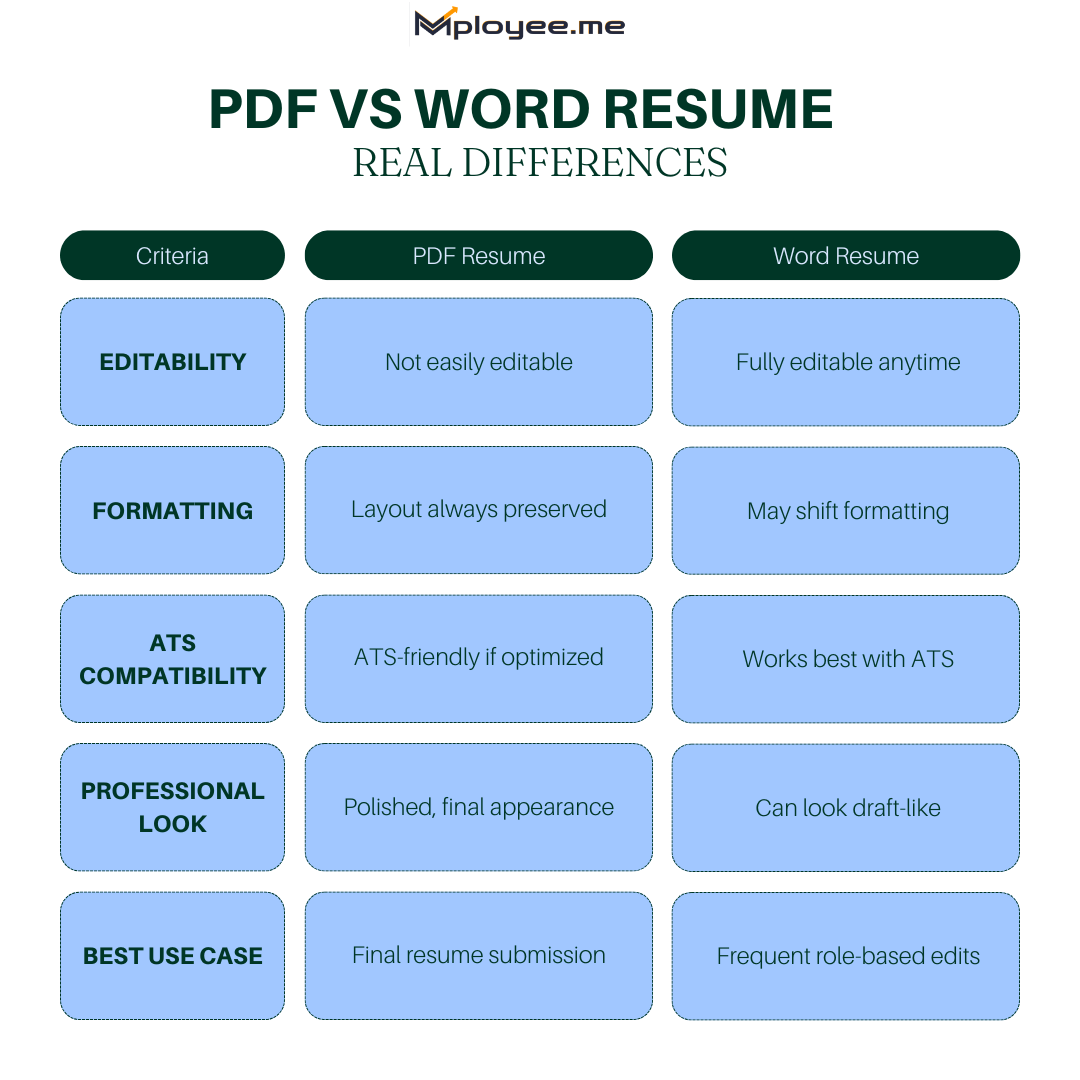
- File Type: A PDF file maintains its original content as a permanent record that can only be modified through authorized procedures. The decision between PDF vs Word resumes becomes crucial because a Word document allows complete editing until final upload on resume shortlisting software.
- Editing Ease: Word allows users to update their skill set together with work history and personal information. This feature assists you when applying to multiple positions because it allows you to make necessary adjustments for each application.
- Design Control: PDF enables users to maintain their original design elements, which include layout and font and spacing throughout their document. Word files may sometimes look slightly different on another computer, which can affect your resume file format choice.
- ATS Reading: Some hiring systems read a Word document more smoothly, especially older software. An ATS PDF resume may also function effectively, but this only applies to documents that have been created and saved in the correct manner.
- Professional Look: People consider PDF documents to provide a more sophisticated and organized appearance. Employers determine the most suitable resume file format through their specific requirements detailed in the job posting.
The basic differences between the two options need to be understood by you because this knowledge will enable you to make an informed decision. The correct selection of a resume file format will increase your possibility of advancing to subsequent interview stages.
How ATS Systems Read Different Resume File Formats?
Companies employ software systems to examine resumes before human recruiters begin their evaluation process. This software verifies your resume file format and checks for required skills.
- Simple Text Reading: The ATS system evaluates your resume document as basic text content which shows no regard for formatting elements. The system searches for specific terms and required abilities which match the employment requirements.
- Keyword Matching: The system analyzes your resume to find specific job keywords which it needs for processing. The system needs to identify words from your resume when they become hidden through your file format.
- Word File Support: Many tracking systems easily read Word documents. The ATS system requires Word format resumes because they provide better protection for applicants.
- PDF File Handling: Modern systems can read an ATS PDF resume without problems. The PDF text becomes undetectable when the PDF document originates from scanned images or scanned documents.
- Layout Impact: The system encounters difficulties when it analyzes complex designs which include tables and uncommon font styles. Your content maintains its readability when you select the appropriate resume file format.
Understanding these system functions enables you to prevent basic errors. Your chances of being selected for the next stage increase with a neat and basic resume document format.
ATS PDF Resume: Pros and Cons You Should Know
Job seekers use PDF files for their applications because the format creates a professional and tidy appearance. Before selecting ATS PDF resumes as their document type employers need to learn about ATS PDF resume capabilities.
PDF Resume Format – Pros and Cons
| Pros | Cons |
|---|---|
| A PDF keeps the layout, fonts, and spacing exactly the same on every device. | Some older hiring systems may not fully read certain PDF files. |
| It often looks more clean and professional to recruiters. | If saved incorrectly, the ATS PDF resume may not scan properly. |
| The file cannot be easily edited after sending. | Scanned or image-based PDFs cannot be read by tracking systems. |
| It protects your formatting from accidental changes. | Heavy graphics or complex designs may reduce ATS readability. |
Pros and Cons for ATS Word Resume
Job applicants can submit their applications using Word documents which many employers accept. An ATS Word resume is often considered a safe and simple resume file format.
Word Resume Format – Pros and Cons
| Pros | Cons |
|---|---|
| Most tracking systems easily read Word documents without errors. | The layout may change slightly on different devices. |
| It is simple to edit and update before sending. | Recruiters can accidentally edit the content. |
| Keywords are usually detected clearly in this resume file format. | Some fonts may not display correctly if not supported. |
| The file size is normally smaller and easy to upload. | Design options are slightly limited compared to PDF. |
| It works well with both old and new hiring systems. | If not saved properly, formatting can look messy. |
Which Resume File Format Is Safer for Job Applications?
The correct resume file format selection enables you to maintain your chances of being selected for interviews. The safer option depends on the company and the system they use.
- Follow Instructions: Employers require job applicants to check all job posting requirements before applying. The employer requires you to submit your resume using a specific file format which you must follow.
- Modern Systems: Most new hiring software can read both PDF and Word files correctly. Proper document creation generates two usable formats because both formats work correctly in most situations.
- Older Software Risk: Some older systems may read Word documents more smoothly. An ATS PDF resume might face issues only if it is not saved correctly.
- Editing Needs: A Word document provides a secure editing solution because you can make immediate modifications to your work. The system enables you to perform essential modifications before submitting your application.
- Final Safety Tip: Your resume needs a basic design which must not include any complex visual elements. A clean resume file format improves your chances no matter which option you choose.
People need to choose their answer because no single solution works for everyone. Employers' instructions provide the safest option while maintaining your resume's readability.
When Should You Send a PDF vs Word Resume?
You need to understand which resume file format to use at which specific moment to prevent basic errors. Your chances of being selected for the next round improve when you choose the correct time to apply.
- Follow Job Post: The employer requests a Word document so you must send that file. You must maintain the resume file format as a PDF because they request this file type.
- Online Portals: Job matching platforms support both file types because they function without any issues. The situation requires you to use a basic and straightforward file format for optimal results.
- Email Applications: The PDF format provides your resume with a more professional appearance when you send it through email. The document maintains its original design because the format protects it from modifications.
- Frequent Editing: Word provides quick editing tools which benefit users who need to update multiple job applications. The feature enables you to customize your resume according to each specific job application.
- Company Type: Large companies with modern systems can usually read an ATS PDF resume correctly. Smaller organizations prefer Word files because they enable staff members to edit documents easily.
The situation determines which choice you should make. You must use the correct resume file format which matches the employer requirements to achieve better results.
Common Resume Formatting Mistakes That Affect ATS Parsing
Your chances to be selected for the next stage decrease when you make small errors in formatting. When you select an incorrect resume file format and design choice it leads to confusion for hiring systems.
Mistake 1: Using Complex Designs
Decorative layouts create visual appeal but they make text difficult to read.
Do: Use simple fonts, clear headings, and basic formatting in your resume file format.
Don't: Add heavy graphics, text boxes, tables, or unusual symbols that may not be read correctly.
Mistake 2: Submitting Image-Based Files
Some people upload scanned resumes instead of editable documents.
Do: Make sure your ATS PDF resume contains real text that can be selected and copied.
Don't: Upload a scanned image or photo version of your resume.
Mistake 3: Ignoring Resume Keywords
Job candidates must include specific keywords from the job description in their applications to meet hiring system requirements.
Do: Add relevant skills and job-related terms naturally in your content.
Don't: Stuff too many repeated keywords or hide them in white text.
Mistake 4: Saving In The Wrong Format
Job candidates must submit their resumes using the correct file format to prevent their applications from being rejected.
Do: Double-check whether the employer prefers a Word document or PDF before uploading.
Don't: Rename one file type as another without properly converting it.
Best Resume Scanner to Test Your Resume
ResuScan is one of the best resume scanners for jobs available for checking how your resume performs in hiring systems. This ATS checker shows you whether your resume will pass the ATS test and whether it is properly formatted.
- System Check: The tool tests your resume to determine whether Applicant Tracking Systems can read it properly and it identifies fundamental formatting problems.
- Structure Review: The tool evaluates layout, headings, and content clarity to determine whether everything has been organized according to standards.
- Keyword Check: The tool searches your resume for essential job-related terms while determining how naturally these terms appear throughout your document.
- Score Report: The tool presents an overall score which shows you the assessment results of your resume.
- Free Review Option: The tool lets you evaluate your resume for free to determine which areas need improvement.
Your resume review before job applications helps you identify and fix common mistakes. A brief review will improve the readability of your application because it makes everything more understandable.
Here’s how to use ResuScan:
Step 1: Upload Your Resume in PDF Format

Step 2: Add Your Total Years of Experience

Step 3: Wait 30 Seconds for Results

Key Takeaways
The right resume file format will increase your chances of being shortlisted for the job.
- The decision between a PDF or Word resume depends on what the employer requires which system they implement.
- An ATS PDF resume works well in most modern hiring systems if it is saved correctly.
- Older systems can read and process a Word document more efficiently than other file formats.
- With any resume file format you choose your results will become better through basic formatting techniques.
- All systems will fail to read scanned resumes or image-based resumes because of their actual design.
- You should incorporate job description keywords into your content while maintaining a natural flow of language.
- Test both versions to see whether your ATS Word resume or PDF performs better.
- A resume scanner allows you to identify and correct minor errors which you should fix before submitting your application.
The correct format selection will boost your chances of receiving interview invitations.
Does ATS prefer Word or PDF?
Many ATS systems handle Word documents more smoothly, especially older versions. That is why it is considered safe to use Word documents. Nevertheless, with modern ATS, it is possible to handle a well-created PDF. It is just that it is more likely to occur if it is scanned or saved as an image. A clean file is best suited for use.
Which resume format is best for ATS systems?
Can ATS read a PDF resume?
Is a PDF file ATS friendly?
Do employers prefer PDF or DOCX?

Got Your Answer ?
Learn this in 30 Seconds 👇

Career Blogs
Our career blog is your go-to resource for insightful advice, practical tips, and the latest trends in the job market.







Office Address: Room No 305, IIT ROPAR-TBIF, Top Floor (East Wing), M.Visvesvaraya, Rupnagar PB, 140001
- Free Online Resume Review
- Check Resume Score
- Job Description Keyword Finder
- Resume Shortlisting Software
- Resume Scanner for Jobs
- Find jobs that match with resume
- Job matching platform
- Resume job matching
- Job suggestion
- Best sites to find jobs
- Free ats resume scanner
- Auto apply for job
- Full Time Jobs
- I Need a Job
- Information Technology Jobs
Can't Find Something? Get in Touch.
©2026 Padhakku Peek A Book Pvt Ltd (Mployee.me)


